An onboarding video follows a new user through a task they need to complete. The pacing gives them time to recognize the controls, understand the choices, and check the result.
These scenes use Relay, a fictional product from our example library. Click any one to play it with sound.
The viewer needs a clear starting point.
We identify what the user already knows and where the walkthrough begins. A first-run tutorial may need setup steps that a feature announcement can omit.
This fictional Relay chapter follows order 7231 from a customer question through the tool log to an answer with receipt 7231-R. The chapter label and repeated order number keep the learner oriented across screens.Film excerpt · staged exampleOpen 26-second excerpt ↗Original audio
Each video can answer one question.
Related tasks can form a series, with consistent names, screens, and visual cues. The length of each entry follows the explanation and the time needed to read the interface.
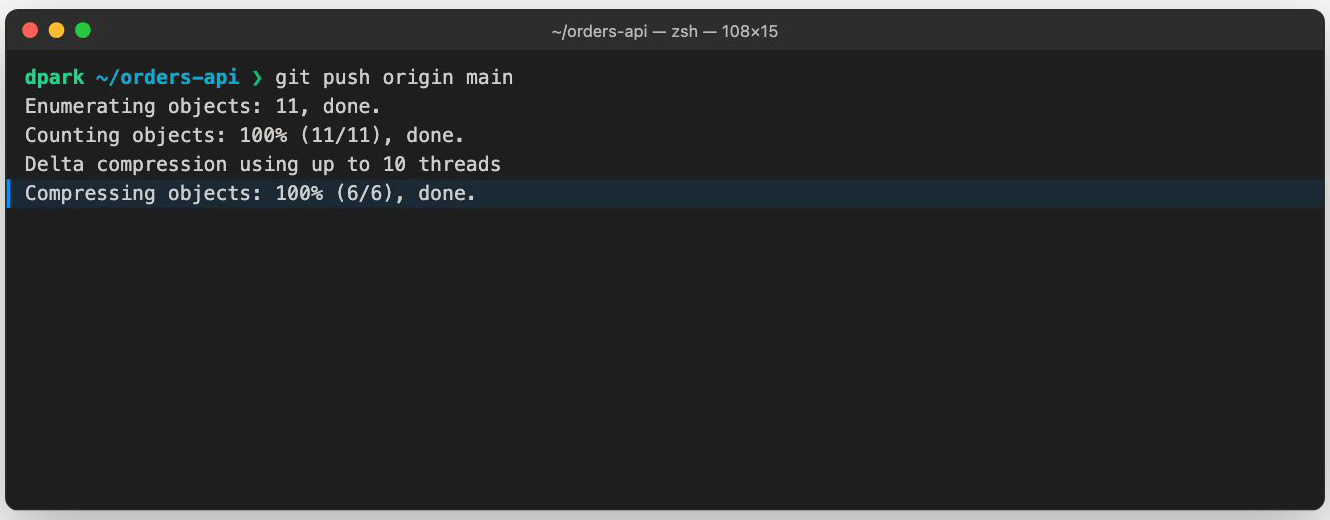
Open full-size image in a new tab. The git-push lesson highlights Compressing objects while the command and earlier output remain visible. That reading hold gives a new viewer time to identify the current stage before the walkthrough continues.Film still · staged exampleView full size ↗Full source film ↗
A complete video shows how the scenes fit together.
Our examples include complete videos and individual scene studies. You can watch the work before requesting a preview for your product.