A developer-tool video helps a viewer assess a task they might perform with the tool. A deployment tool needs to show what creates a preview environment and where the resulting URL leads. An attractive terminal animation provides little evidence if the command never runs or the URL opens an unrelated build.
Branchroom, the fictional tool used here, creates a preview for a pull request. Its demonstration starts with a small website whose heading changes from “Account” to “Your account.” The finished video connects that source change to the preview page for the same commit.
Prepare a small project with an observable change
The example needs a repository that builds reliably in a test environment. A visible heading change works because a reviewer can compare the source and rendered page without understanding the entire application. Changes to an invisible implementation detail would require a different way to establish success.
The producer collects a baseline commit, the changed commit, build configuration, and a retained run. The record includes the tool version, account prerequisites, and the resulting preview URL. Public footage uses a demonstration repository and excludes access tokens or private source.
For Branchroom, the fictional command is:
branchroom preview --ref demo-heading
Its teaching fixture reports:
Ref: demo-heading
Commit: c48d2a1
Build: complete
Preview: https://preview.example/branchroom/c48d2a1
Those names illustrate the relationship a video needs to establish. They are not a working installation guide. For a real tool, the producer runs the exact documented command and keeps the full output before deciding which lines fit on screen.
The accompanying written instructions contain installation and authentication steps. A video about deployment can summarize those prerequisites; a video about installation needs to demonstrate them and explain the expected first-run result.
Connect the command to the deployed page
The visual sequence must preserve the commit identity. A terminal that says “complete” and a browser that displays a page could belong to different runs unless the video connects them.
- Record the baseline page and the source edit. The page initially says “Account.” The source diff changes only that heading, leaving the surrounding layout stable.
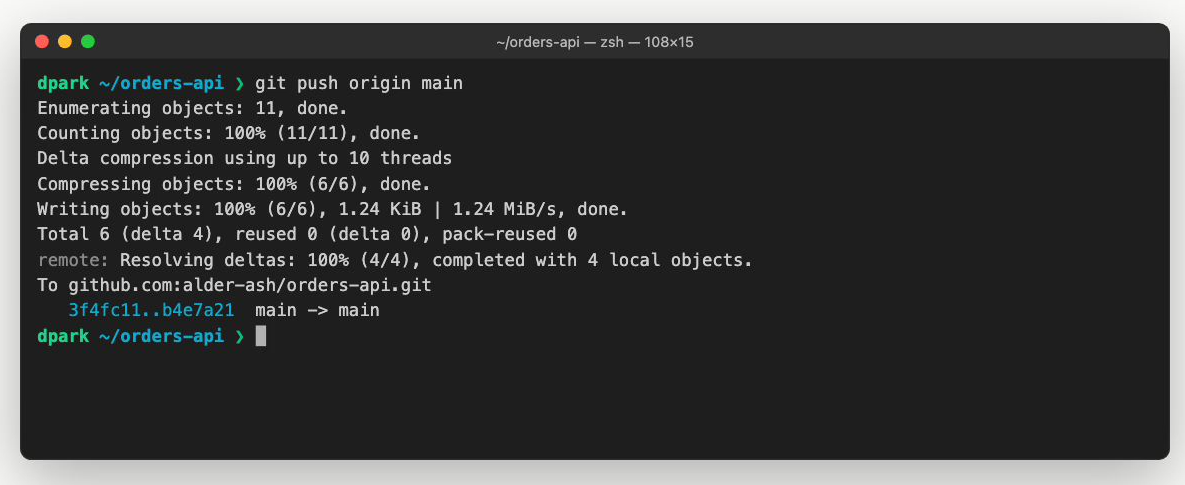
- Run the preview command against the changed ref. The terminal shows the ref and resulting commit. A crop removes unrelated shell history while keeping enough context to identify the command.
- Follow the tool's actual build states. The video retains the state that distinguishes a queued job from a completed deployment. If the edit removes a long wait, a short label says so.
- Open the returned URL. The browser displays “Your account.” The URL or deployment record connects the page to commit
c48d2a1. - Show how the reviewer returns feedback. If Branchroom supports a review action, its actual control belongs here. Otherwise, the video ends with the usable preview URL and leaves collaboration to the surrounding workflow.
The producer reviews those visuals before writing narration. The voice can explain that the preview isolates the proposed change while the screen supplies the commit and URL. Audio recording follows that visual plan, and the final edit checks that the explanation coincides with the relevant result.
A diagram can explain behavior that the recording hides
A build log can list separate jobs without making their relationship obvious. If the documented deployment process requires both a build and a test job to finish, a diagram can keep the completed job visible while the other continues. The join must remain pending until the actual prerequisite completes.
This clip illustrates a dependency. It does not prove that a particular deployment service uses that topology. A producer needs the service's documented behavior before adapting the diagram, especially when optional jobs, failures, or cancellation can change the outcome.
Stable positions help the viewer follow the dependency across scenes. Status text accompanies color so a pending job remains distinguishable from a completed one when the viewer cannot distinguish their colors.
Include a failure when it answers an evaluation question
For Branchroom, a build failure can explain whether the tool publishes an incomplete preview. The fictional fixture stops deployment when a required test fails. The video shows the failed test, the absence of a new preview URL, and the previous successful deployment if the product keeps it available.
The comparison needs a separate retained run. A producer should not recolor a success log and call it a failure demonstration. If a video stages a test failure deliberately, the accompanying description can say that the example uses a failing fixture.
Benchmark claims require more than a selected run. A sped-up build cannot support a speed comparison, and a warm-cache run cannot represent a cold build without qualification. A general product introduction can omit those claims and show the task's result instead.
Deliver something a developer can reproduce
The video belongs beside a versioned example or a written task with the same filenames and expected output. A README introduction can link to the complete procedure; a documentation lesson should make prerequisites available beside the player.
A reviewer who did not prepare the demo follows that procedure in a clean test setup. They check that the command creates the shown deployment and that the failure example stops where the video says it stops. The producer also checks code readability at the actual embed size and verifies captions against the final audio.
The delivered package includes the video, captions, and the example references agreed in the production scope. A maintainer records which tool version and product behaviors the cut depends on so a later command change identifies the affected scene. Documentation videos develops that maintenance process for a library of lessons.