Caption the audio in the approved cut. The written script helps check spelling, but the recording determines the words and their timing. A replacement take or an added intro can make an earlier caption file inaccurate even when the script barely changes.
Captions convey speech and meaningful non-speech audio so people who cannot hear the soundtrack can follow its content. A human reviewer must check automatic output against the actual audio. W3C captions guidance
Identify the cut and its source audio
Record the export version and the retained take for each scene. Use the current scene order, starts, and audio lead-ins. A caption file named dispatchdesk-demo-v3.en.vtt is easier to pair with a specific cut than one named final.vtt.
The fictional DispatchDesk exercise uses the VO-sync timing file. Its routing scene starts at frame 105 in a 30 fps sequence, or 3.5 seconds. The audio starts at the beginning of that scene and lasts 6.4 seconds.
For a real project, transcribe the retained take or align a checked transcript against it. An automatic transcript provides draft text and timing. Listen to each cue and correct the words before treating those values as approved source data.
Build local cues from the take
A local cue measures its start and end from the beginning of its audio file. The example routing line contains two useful clauses. These fixture times are illustrative, not measurements of an included recording:
| Local start | Local end | Caption text |
|---|---|---|
| 0.2 s | 3.9 s | This rule sends checkout issues to Payments, |
| 4.1 s | 6.2 s | with the urgency still attached. |
The gap follows a pause between clauses. A cue should remain readable as part of the spoken sentence. Splitting every word into a separate caption would force viewers to follow rapid text changes while also inspecting the ticket.
Check product terms and negations against the audio. A transcript that changes “does not change priority” to “does change priority” teaches the opposite behavior. A terminology sheet helps reviewers spell DispatchDesk, Payments, and field names consistently. It does not replace listening.
If the narrator pronounces a field as “ticket dot priority,” choose a readable caption representation that preserves the meaning. The UI label ticket.priority can be useful when viewers need to recognize the exact identifier. Record that convention for the rest of the film.
Derive film times from the current edit
The offset calculation is:
film cue start = intro offset + scene start + audio lead-in + local cue start
film cue end   = intro offset + scene start + audio lead-in + local cue end
For the routing scene, the first cue begins at 0 + 3.5 + 0 + 0.2, or 3.7 seconds. It ends at 7.4 seconds. The second cue occupies 7.6 through 9.7 seconds.
An added 2.8-second intro moves those cues to 6.5 through 10.2 seconds and 10.4 through 12.5 seconds. Apply that offset only if the timing file excludes the intro. If the scene starts already include it, adding it again would delay every cue.
When the routing take changes, rebuild its local cues from the replacement audio. When only a preceding scene grows, retain approved local cues and regenerate their absolute times. Each edit therefore changes the information it actually affects.
Export a WebVTT file
WebVTT stores timed text in a plain-text file beginning with WEBVTT. Each cue has start and end timestamps followed by its text, with a blank line between cues. The WebVTT specification defines that syntax.
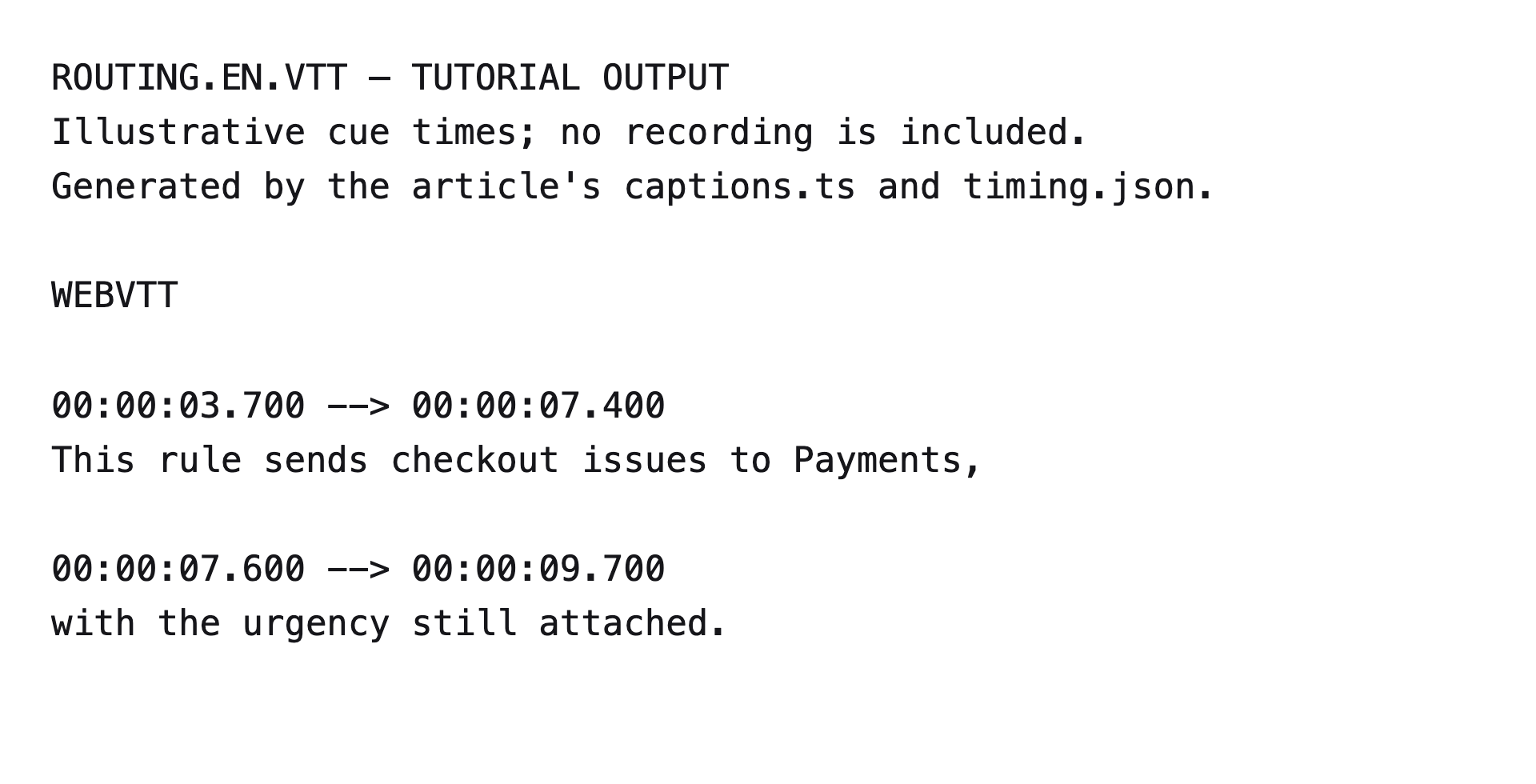
Save this excerpt as routing.en.vtt to inspect the calculated values:
WEBVTT

00:00:03.700 --> 00:00:07.400
This rule sends checkout issues to Payments,

00:00:07.600 --> 00:00:09.700
with the urgency still attached.
This file captions only the routing excerpt. A finished film also needs cues for its other audible content.
For a scene-based project, a small generator can use the timing file directly. After running the VO-sync example, save the following as captions.ts in the directory that contains the output folder. The local cues remain fixtures for the exercise.
import { readFile, writeFile } from "node:fs/promises";

const timing = JSON.parse(await readFile("output/timing.json", "utf8"));
const scene = timing.scenes.find((item: { id: string }) => item.id === "routing");
if (!scene?.audio) throw new Error("Routing needs a retained speech take");
const cues = [
  { start: 0.2, end: 3.9, text: "This rule sends checkout issues to Payments," },
  { start: 4.1, end: 6.2, text: "with the urgency still attached." },
];
// Keep this zero if timing.json already includes the intro.
const introSeconds = 0;
const offset = introSeconds + scene.audio.startFrame / timing.fps;

function timestamp(seconds: number) {
  const totalMs = Math.round(seconds * 1000);
  const hours = Math.floor(totalMs / 3600000);
  const minutes = Math.floor(totalMs / 60000) % 60;
  const wholeSeconds = Math.floor(totalMs / 1000) % 60;
  const milliseconds = totalMs % 1000;
  const two = (value: number) => String(value).padStart(2, "0");
  return `${two(hours)}:${two(minutes)}:${two(wholeSeconds)}.${String(milliseconds).padStart(3, "0")}`;
}

let previousEnd = 0;
const blocks = cues.map((cue) => {
  if (cue.start < previousEnd || cue.end <= cue.start || cue.end > scene.audio.measuredSeconds) {
    throw new Error("Review local cue order, duration, and take boundary");
  }
  previousEnd = cue.end;
  return `${timestamp(offset + cue.start)} --> ${timestamp(offset + cue.end)}
${cue.text}`;
});
await writeFile("routing.en.vtt", "WEBVTT\n\n" + blocks.join("\n\n") + "\n");
console.log("Wrote routing.en.vtt");
Run bun captions.ts from that directory. It writes the same routing.en.vtt excerpt shown above. Set introSeconds to 2.8 and rerun to verify the shifted timestamps. This generator deliberately rejects overlapping cues for the single-speaker exercise; more complex dialogue requires an appropriate captioning arrangement.
Review the track in the destination player
Load the caption file with its matching export. Listen while reading to confirm wording and phrase timing. Then watch at the smallest intended size and check whether captions cover the rule condition or assignment result.
Player support for caption positioning and styling varies, so verify the actual destination rather than relying entirely on an editor preview. W3C caption positioning guidance
Include meaningful sound information when it helps explain the action, such as an alert that prompts an operator's response. A decorative transition sound does not need to become a competing on-screen explanation merely because it exists.
| Problem | Likely source | Correction |
|---|---|---|
| Every cue starts late by the same amount. | An intro or audio lead-in was added twice. | Check which offsets the timing file already includes. |
| Only one scene's wording or cues are wrong. | Its take changed after transcription. | Replace that scene's local cues from the retained take. |
| Later cues drift after a longer scene. | The caption export uses old scene starts. | Regenerate offsets from the current timing file. |
| Captions flash too quickly to read. | Cue boundaries split a phrase unnecessarily. | Regroup the phrase and review its duration in playback. |
| Captions hide the demonstrated button. | The layout and caption placement conflict. | Adjust the supported placement or revise the composition. |
A selectable caption file and a version with captions drawn permanently into the picture are separate deliverables. Pair each with its reviewed video version and retain the editable cues. The review scorecard records the final decision for wording, timing, and placement.