Forma is a fictional design app. In this lesson you will open its complete Remotion project, trace the film's 19 beats, change a coordinated toggle movement, preserve an artwork pose across a scene boundary, and render a full 1920 × 1080 film. The finished example runs for 68.083 seconds at 24 frames per second. It is silent so you can evaluate the picture and timing before adding narration or music.
Inspired by Figma's Motion launch film, the example studies its progression from an attractive designed object to editable controls, collaboration and delivery. Forma has its own compact five-tile identity and fictional project copy. Interfaces, cursors, selection outlines and motion are editable code. Nine still textures—the architectural pavilion, cyclist, metallic celebration object and six gallery materials—are extracted from the credited reference film. They restore the studied material and photographic detail; they are not original 20cuts photographs. The animated interface is a staged concept rather than a recording of a functioning app.
The full film and the first three lesson sections are public. The complete lesson and editable source project are included in your one-time purchase of the 20cuts Creation System.
Open the complete example
Download the source project attached to this lesson and unzip it. You need Node.js with npm, a terminal, an editor and enough disk space for the render. Use the Node version specified by the downloaded project's README. The download contains its own package manifest; you do not need the 20cuts repository.
From the unzipped project directory, run:
npm install
npm run check
npm run dev
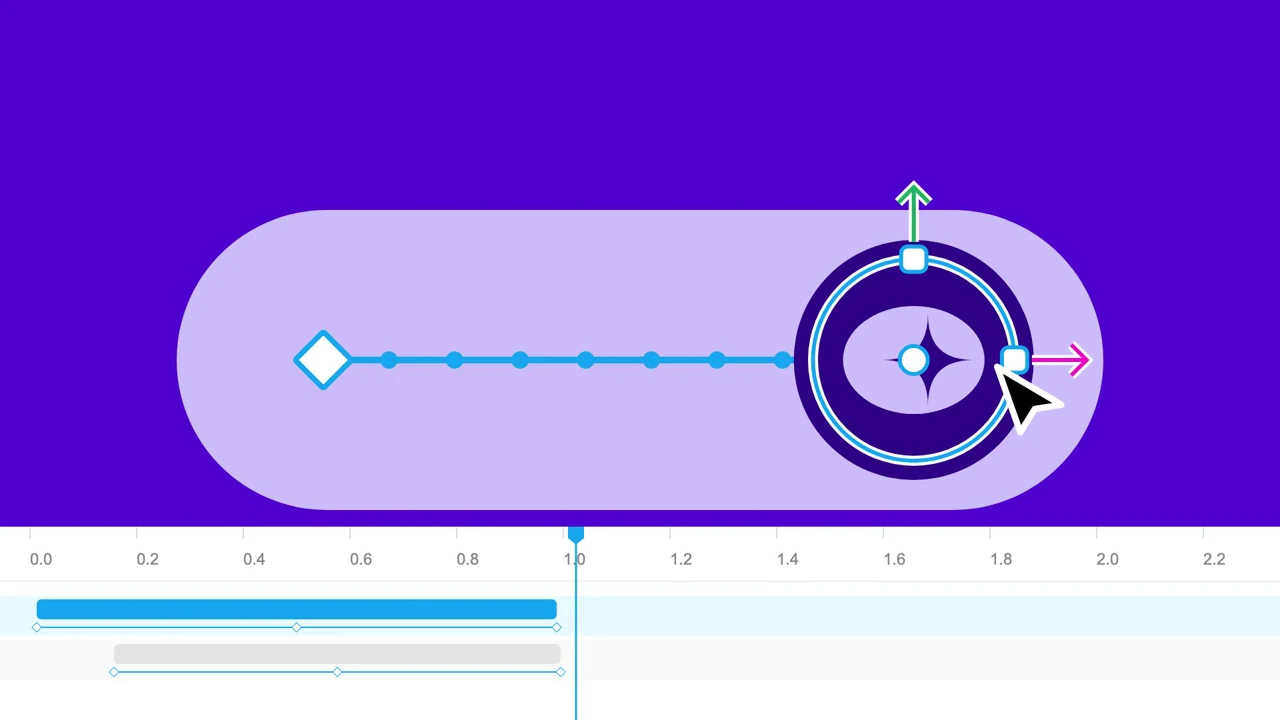
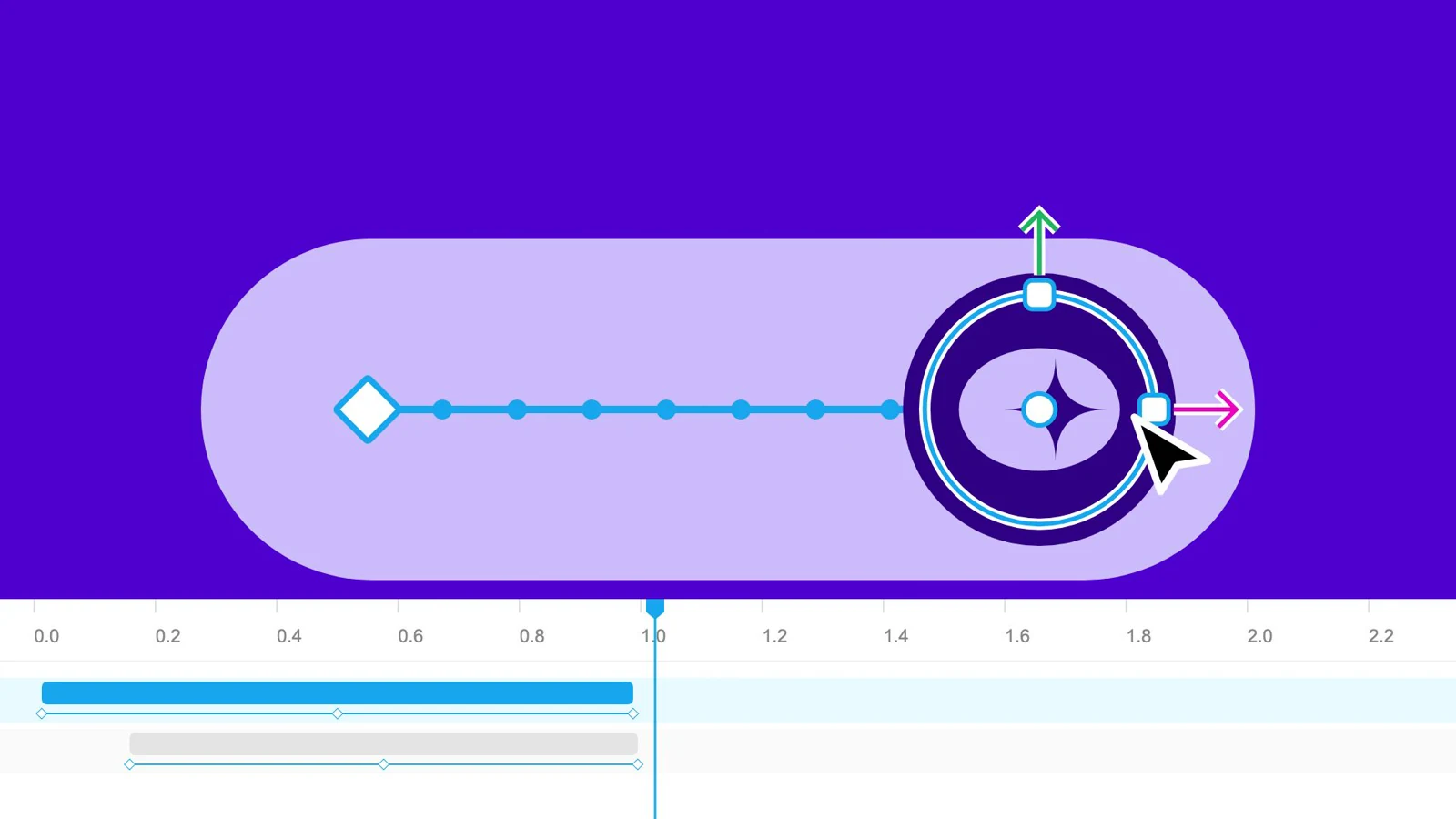
Choose FormaLaunch in the studio. The composition is 1,634 frames long. Scrub to output frames 316, 988 and 1490 before making changes. These show the toggle during its travel, the retained artwork entering the gallery, and the prototype beside its code panel.
Render the example with:
npm run render
The source files live in src/videos/tutorial-forma/. entry.tsx registers the composition. Video.tsx selects the current scene. motion.ts owns the clock, palette, section boundaries and shared geometry. primitives.tsx draws text, cursors, selection handles, panels and artwork. scenes.tsx combines those parts into the complete film.
Give each capability a visible consequence
The film begins with a designed result rather than a menu of features. Garden studies establishes the kind of work Forma makes. The next passage moves through a toggle, a timeline, an easing curve and an unlocked goal. Each control causes a change large enough to read in motion.
The middle passage broadens the material: an animated gallery map, a prompt, a fragmented type treatment and a transformed artwork. The artwork carries into a gallery. Comments and collaborators then make the process social. Tokens and a mosaic gather the pieces into a larger creative system. The final prototype and code panel make the work deliverable before the identity appears.
This sequence gives the film a cumulative argument: make a thing, control its behavior, work with others, then use the result. A feature list alone would leave the viewer to infer that progression. Here the objects perform it.
The following table covers the whole composition. Ranges are half-open: the ending tick belongs to the next beat. A tick is 1/12 second; each tick occupies two output frames. Times are rounded for reading, while the source uses exact tick boundaries.
| Beat | Ticks | Seconds | Visible action and purpose |
|---|---|---|---|
| Garden | 0–82 | 0.000–6.833 | Designed page, plants and editor framing establish the creative result. |
| Title | 82–118 | 6.833–9.833 | Large type introduces Forma and separates the result from the controls. |
| Toggle | 118–168 | 9.833–14.000 | Selected thumb enters, timeline arrives and a drag exposes its path. |
| Timeline | 168–186 | 14.000–15.500 | Camera emphasizes timing controls while the object remains related to them. |
| Curve | 186–228 | 15.500–19.000 | The editable curve makes acceleration a visible part of the product. |
| Goal | 228–264 | 19.000–22.000 | The toggle becomes an unlocked state in a fictional savings-goal prototype. |
| Map | 264–319 | 22.000–26.583 | Selected map markers and an animation-style menu show motion in a spatial layout. |
| Prompt | 319–395 | 26.583–32.917 | Text entry and the resulting visual introduce another way to make motion. |
| Glitch | 395–441 | 32.917–36.750 | Fragmented type increases visual density before the image demonstration. |
| Transform | 441–486 | 36.750–40.500 | The architectural image rises, turns and skews under a transform control. |
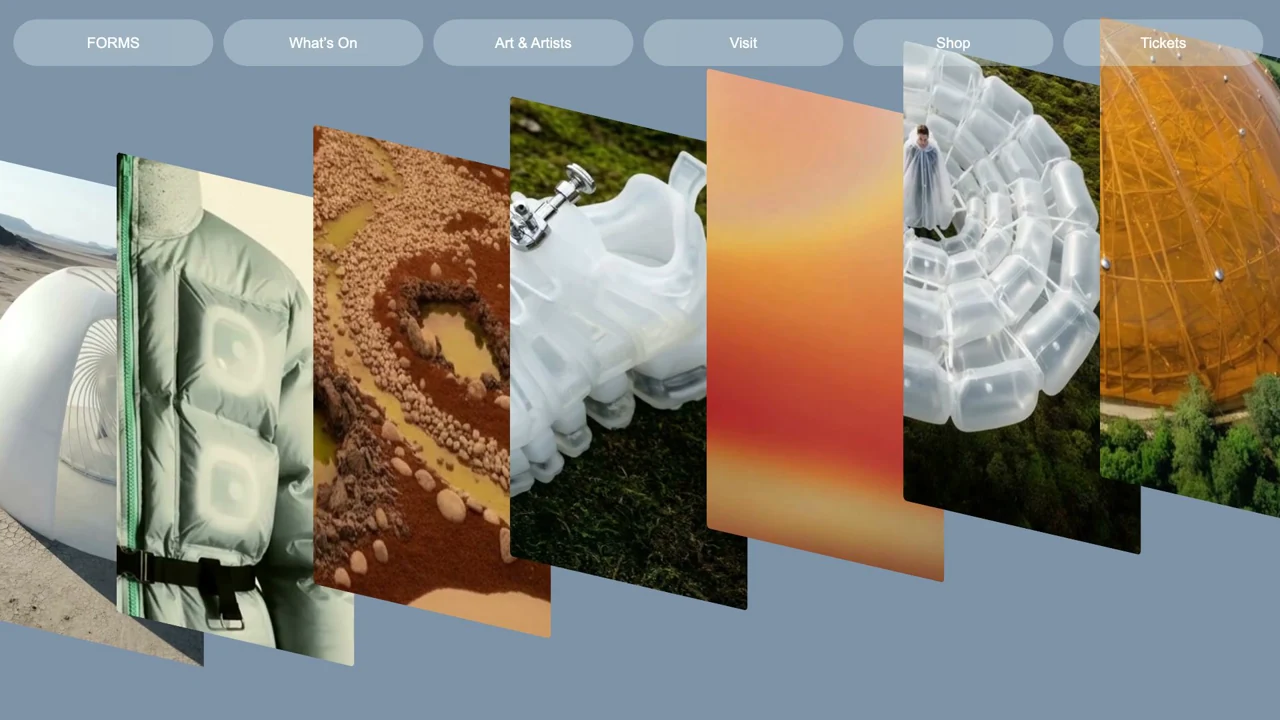
| Gallery | 486–530 | 40.500–44.167 | The same artwork becomes a gallery panel rather than being replaced. |
| Comment | 530–552 | 44.167–46.000 | A focused comment anchors feedback to the artwork. |
| Collaboration | 552–606 | 46.000–50.500 | Two generic designers and their cursors share the working surface. |
| Tokens | 606–650 | 50.500–54.167 | Icons and controls gather into reusable design material. |
| Mosaic | 650–684 | 54.167–57.000 | Multiple fictional applications expand the range of work. |
| Phone | 684–727 | 57.000–60.583 | A mobile prototype provides a concrete result to inspect. |
| Code | 727–751 | 60.583–62.583 | The prototype shifts aside; a code panel opens and confirms a copy action. |
| Closing | 751–779 | 62.583–64.917 | “Bring your ideas to life” returns to the creative promise. |
| Identity | 779–817 | 64.917–68.083 | Five rounded tiles gather into Forma's compact diamond mark. |
Keep the clock and scene boundaries explicit
The delivery runs at 24 fps, but its choreography was measured on a 12 fps reference clock. Keeping those units separate preserves the studied pacing and permits intermediate poses. This exact block in motion.ts defines the relationship:
export const SOURCE_FPS = 12;
export const SOURCE_FRAMES = 817;
export const FPS = 24;
export const FRAMES = (SOURCE_FRAMES * FPS) / SOURCE_FPS;
Video.tsx converts the output frame before choosing a section:
const f = (useCurrentFrame() * SOURCE_FPS) / FPS;
const section = sectionAt(f)!;
const View = section[0] === "closing" ? null : VIEWS[section[0]];
Output frame 316 is tick 158. Output frame 972 is tick 486. Use output frames in the studio and ticks when reading scene expressions. Mixing the two units would double a move's speed or put it in the wrong scene.
Each section component receives the same absolute f. The scene does not reset its own clock. This lets objects on either side of a cut ask a shared function for a pose. FILM_AUDIT() checks that all 1,634 output frames resolve to a section, adjacent ranges touch, the duration stays fixed and the toggle geometry remains finite.
Continue making Forma
The rest of the build is inside.
Get the complete walkthrough and editable source for this film, plus all 4 launch-film tutorials in the 20cuts Creation System. Pay $29.99 once, with a 30-day money-back guarantee.
Explore the complete system ↗