Clasp is a fictional collaboration app. This lesson takes its complete 71.217-second film apart into a working plan: animated type establishes a promise, a word becomes a movable object, a summary interaction provides evidence, and people move from a call into a conversation. You will edit those mechanisms and render the full 1920 × 1080 example at 60 fps.
Inspired by Slack's A New Day for Work, this adaptation keeps the reference's sequence, overlapping motion and alternation between abstract graphics and product demonstrations. Clasp has a different name, slightly shifted saturated palette, compact three-bar mark and product copy. The browser, people and messages are original vector drawings for a fictional product. There is no source video, source screenshot, recorded conversation or source audio in the composition.
The full film and the first three lesson sections are public. The complete lesson and editable source project are included in your one-time purchase of the 20cuts Creation System.
Open the source and establish a baseline
Download this lesson's source project, unzip it and open a terminal in that folder. You need Node.js with npm, an editor and space for the rendered MP4. Follow the Node version specified in the download's README. The project is standalone and does not require the private 20cuts repository.
npm install
npm run check
npm run dev
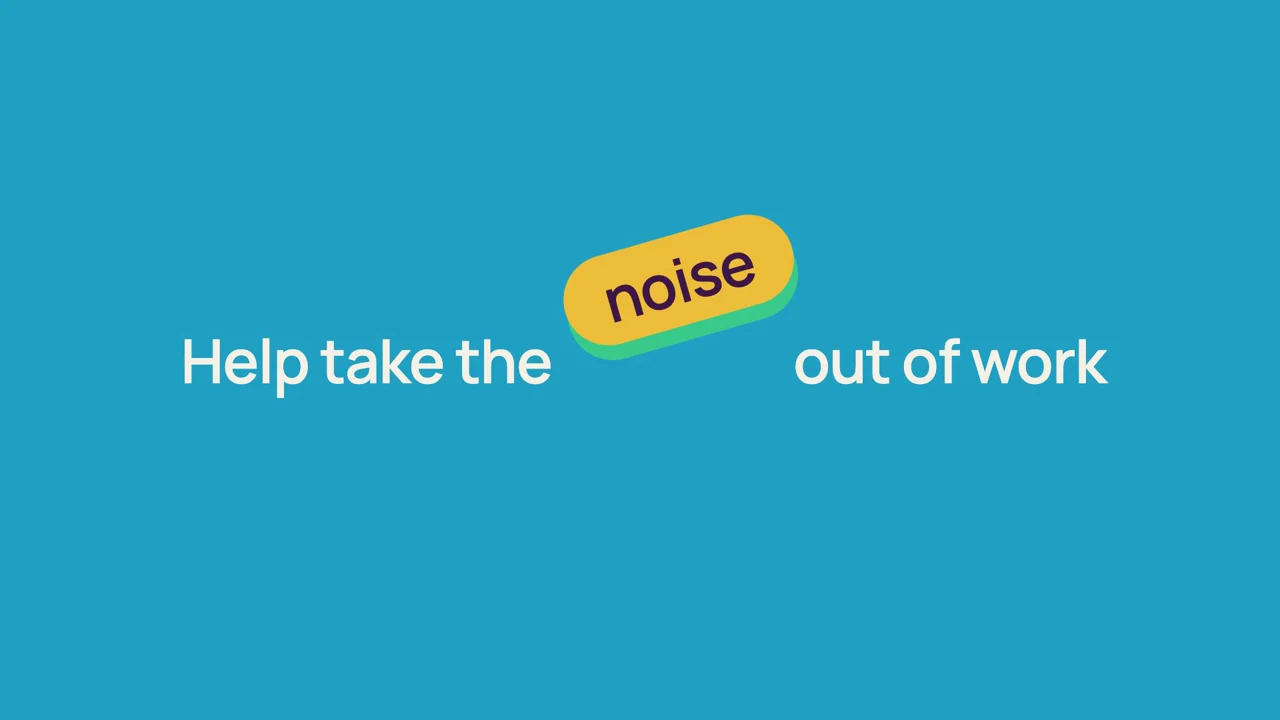
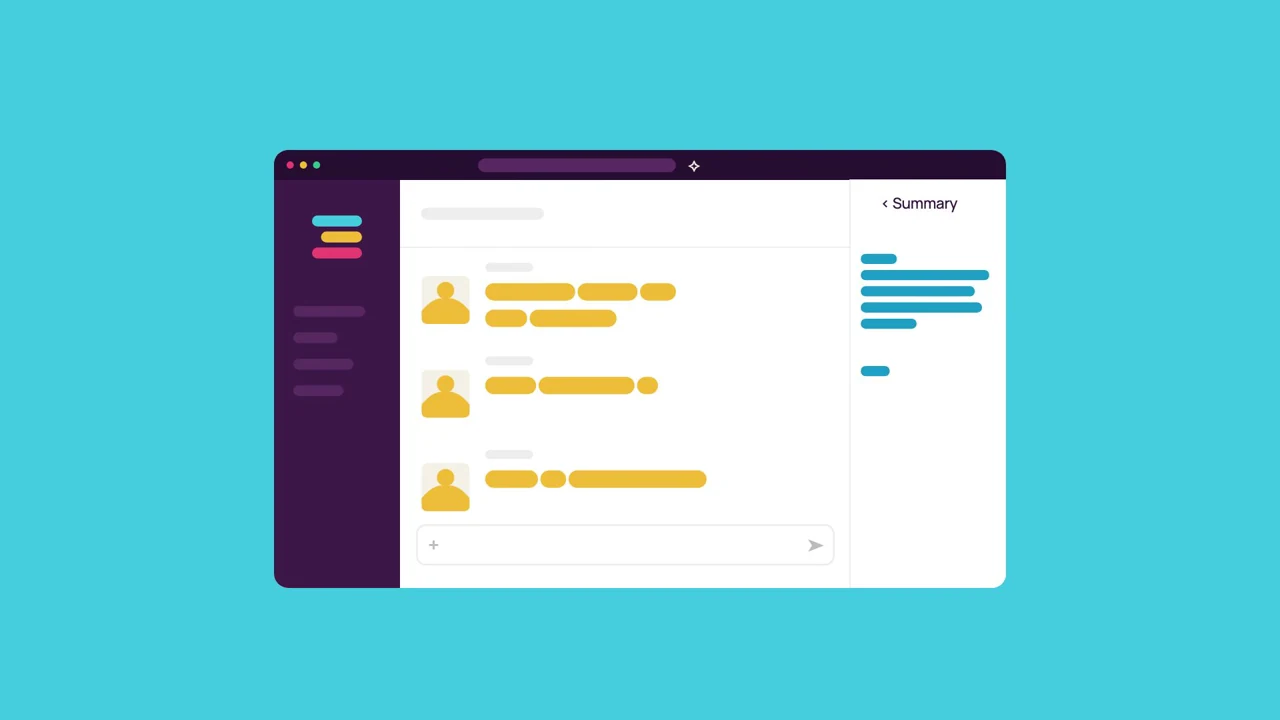
Select CommonroomLaunch. The composition has 4,273 delivery frames. Before editing, scrub to output frames 1470, 2075 and 2758. These show the lifted “noise” capsule, the summary panel and the call participants becoming conversation authors.
Render the baseline with:
npm run render
The source is in src/videos/tutorial-commonroom/. entry.tsx registers the composition. Video.tsx contains the vector primitives, scene functions, clock mapping and audit. source-times.ts is a numeric timing table. It contains no pictures or audio; it preserves the measured reference timing at a 60 fps delivery rate. Manrope is the only binary visual dependency. Its unmodified variable font, public/assets/tutorial-commonroom/manrope.ttf, and MANROPE-OFL.txt license are included. Manrope retains the rounded display character of the accepted study without redistributing its commercial font. The on-screen product is Clasp; the stable composition ID remains CommonroomLaunch.
Build a narrative that alternates promise and proof
The opening wall repeats “Good work, together,” then gives way to Clasp's mark. The film moves into a stylized conversation, widens to categories such as Knowledge and Automation, and follows one message author into a field of people. This makes the product feel connected to a group before the film asks the viewer to consider individual capabilities.
The central phrase, “Help take the noise out of work,” becomes an action. The word “noise” lifts away from the sentence and falls off screen. A crowded field of colored pieces clears. Five remaining dots gather into a wipe that reveals a summary interaction. The claim is followed by an example of what reducing noise could look like.
After a brief brand return, a call becomes a channel conversation. Ribbons introduce Clasp Projects, and a sequence of verbs—Connect, Share, Find and Organize—uses the same geometric vocabulary. The closing orbital movement gathers that vocabulary into the final promise and identity.
The film has 37 measured beats. The complete table below uses half-open source-cue ranges and presentation times, rounded to milliseconds. These cue numbers describe the measured reference pictures; they are not the studio's 60 fps output-frame numbers. The last end time includes the short final hold required to fill the delivery frame.
| Beat | Source cues | Seconds | Action |
|---|---|---|---|
| Opening wall | 0–168 | 0.000–2.803 | Repeating type establishes the central promise. |
| Identity orbit | 168–275 | 2.803–4.588 | Colored shapes introduce the fictional mark. |
| Teamwork rosette | 275–389 | 4.588–6.490 | A rosette turns the theme into a spatial object. |
| Conversation | 389–490 | 6.490–8.175 | A browser and changing message bars provide product context. |
| Categories | 490–740 | 8.175–12.346 | Independent capsule rows reveal Answers, Routines, AI and Docs. |
| Planning message | 740–854 | 12.346–14.248 | Five message lines appear in a fictional planning channel. |
| Author to people | 854–1008 | 14.248–16.817 | A message author enlarges into a group of people. |
| A shared place | 1008–1100 | 16.817–18.352 | Moving type reveals a shared place for ideas. |
| A clearer way | 1100–1185 | 18.352–19.770 | The same lanes reveal “A clearer way to connect.” |
| Teamwork stack | 1185–1240 | 19.770–20.687 | Five bars contract and the labeled face folds away. |
| Perspective tunnel | 1240–1400 | 20.687–23.357 | Layered geometry accelerates through depth. |
| Sentence | 1400–1453 | 23.357–24.241 | The complete sentence holds before the physical edit. |
| Noise removal | 1453–1498 | 24.241–24.992 | The word noise lifts, pauses and falls away. |
| Clearing mosaic | 1498–1715 | 24.992–28.612 | Dense shapes progressively clear from the screen. |
| Five dots | 1715–1832 | 28.612–30.564 | Remaining dots gather into a row. |
| Bar wipe | 1832–1883 | 30.564–31.415 | Dots stretch into a complete background wipe. |
| Summary trigger | 1883–2040 | 31.415–34.034 | The cursor approaches and activates a summary control. |
| Summary result | 2040–2141 | 34.034–35.719 | The browser widens and summary lines fill its panel. |
| Speech bubble | 2141–2185 | 35.719–36.453 | A generic speech bubble frames and shrinks the result. |
| Radial return | 2185–2314 | 36.453–38.605 | Radial groups restore the abstract visual vocabulary. |
| Identity hold | 2314–2395 | 38.605–39.957 | The fictional mark briefly holds. |
| Bring teams | 2395–2520 | 39.957–42.042 | Large capsules reveal Bring teams. |
| Together | 2520–2560 | 42.042–42.709 | Together completes the phrase. |
| Call | 2560–2732 | 42.709–45.579 | Six people join a call and speaking rings move. |
| Call to channel | 2732–2784 | 45.579–46.446 | Three people move into author positions as the browser arrives. |
| Team conversation | 2784–2870 | 46.446–47.881 | Conversation bars write beside the retained authors. |
| Projects ribbons | 2870–3125 | 47.881–52.135 | A wave wipe introduces Clasp Projects. |
| People, plans, ideas | 3125–3360 | 52.135–56.056 | Three moving concepts bridge product and capability. |
| One place | 3360–3445 | 56.056–57.474 | Concentric geometry gathers the concepts into one place. |
| Connect | 3445–3528 | 57.474–58.859 | A connection diagram develops from shared nodes. |
| Share | 3528–3588 | 58.859–59.860 | A share action uses traveling geometric objects. |
| Find | 3588–3698 | 59.860–61.695 | The crowded field turns into a focused find action. |
| Organize | 3698–3818 | 61.695–63.697 | A structured arrangement illustrates organized work. |
| Orbital climax | 3818–3935 | 63.697–65.649 | Orbiting shapes build the final burst of motion. |
| Shared workspace | 3935–4098 | 65.649–68.368 | Columns frame the team’s shared workspace promise. |
| Dot signature | 4098–4154 | 68.368–69.303 | Four small dots reduce the visual field. |
| Clasp lockup | 4154–4268 | 69.303–71.217 | The three-bar mark, Clasp and the tagline hold. |
Map the clock before changing a cue
The studied reference has 4,268 decoded pictures with presentation timestamps. Dividing its cue number by 60 would introduce drift. Video.tsx instead asks for the latest source timestamp at or before each delivery frame's time. This is the complete lookup:
function sourceFrame(t: number) {
  let lo = 0,
    hi = SOURCE_TIMES.length - 1;
  while (lo < hi) {
    const mid = Math.ceil((lo + hi) / 2);
    if (SOURCE_TIMES[mid] <= t) lo = mid;
    else hi = mid - 1;
  }
  return lo;
}
The composition calls it with:
const frame = useCurrentFrame();
const f = sourceFrame(frame / COMMONROOM_FPS);
Every scene receives this shared f. To find the first delivery frame that reaches source cue n, use Math.ceil(SOURCE_TIMES[n] * 60). To find its exact presentation time, read SOURCE_TIMES[n]. Do not change the timing table to slow one action; change that action's cue window in Video.tsx.
The p helper clamps a cue window to progress between 0 and 1. It accepts an easing function, so separate objects can use the same clock with different timing. The film uses Easing.bezier(0.65, 0, 0.25, 1) for its smooth moves and Easing.bezier(0.16, 1, 0.3, 1) for the faster-starting out moves.
FILM_AUDIT() checks the timing table's 4,268 entries, strictly increasing timestamps, the 4,273-frame delivery duration, every mapped frame's range and inclusion of the last source picture. Those checks preserve the established edit while you alter the drawing or copy.
Continue making Clasp
The rest of the build is inside.
Get the complete walkthrough and editable source for this film, plus all 4 launch-film tutorials in the 20cuts Creation System. Pay $29.99 once, with a 30-day money-back guarantee.
Explore the complete system ↗