Free animation starter and planning templates

Make your first
animation.

Put your words in motion with the runnable starter. Then plan your next film with a brief, storyboard, and review checklist. Download the source and all six planning files free, with no email or account.

Free to use and adaptSource and worked examplesNo email required

A working project to make your own

One word carries
the next idea.

Change the words, colors, and brand in a 12-second silent animation. The starter includes editable source, a bundled font, and the commands to export your own MP4. Use Node.js 22 or later, npm, and a code editor.

Download the free starter

Start with these three files

Choose the task. Plan the scenes. Set the timing.

Open these Markdown files in any text editor. Each includes a completed example for DispatchDesk, a fictional support product, and fields for your own project.

  1. The explainer brief

    Specify the audience, the question the video answers, and the product behavior that demonstrates the answer.

    Download .md : The explainer briefWrite an explainer brief
  2. The storyboard template

    Describe the starting screen, the action, and the result of each scene.

    Download .md : The storyboard templateHow to storyboard an explainer
  3. The visual beat map

    Record each action and spoken line under the same scene ID, then add timing measurements.

    Download .md : The visual beat mapTime narration and visuals
Browse all six files and read them on this page
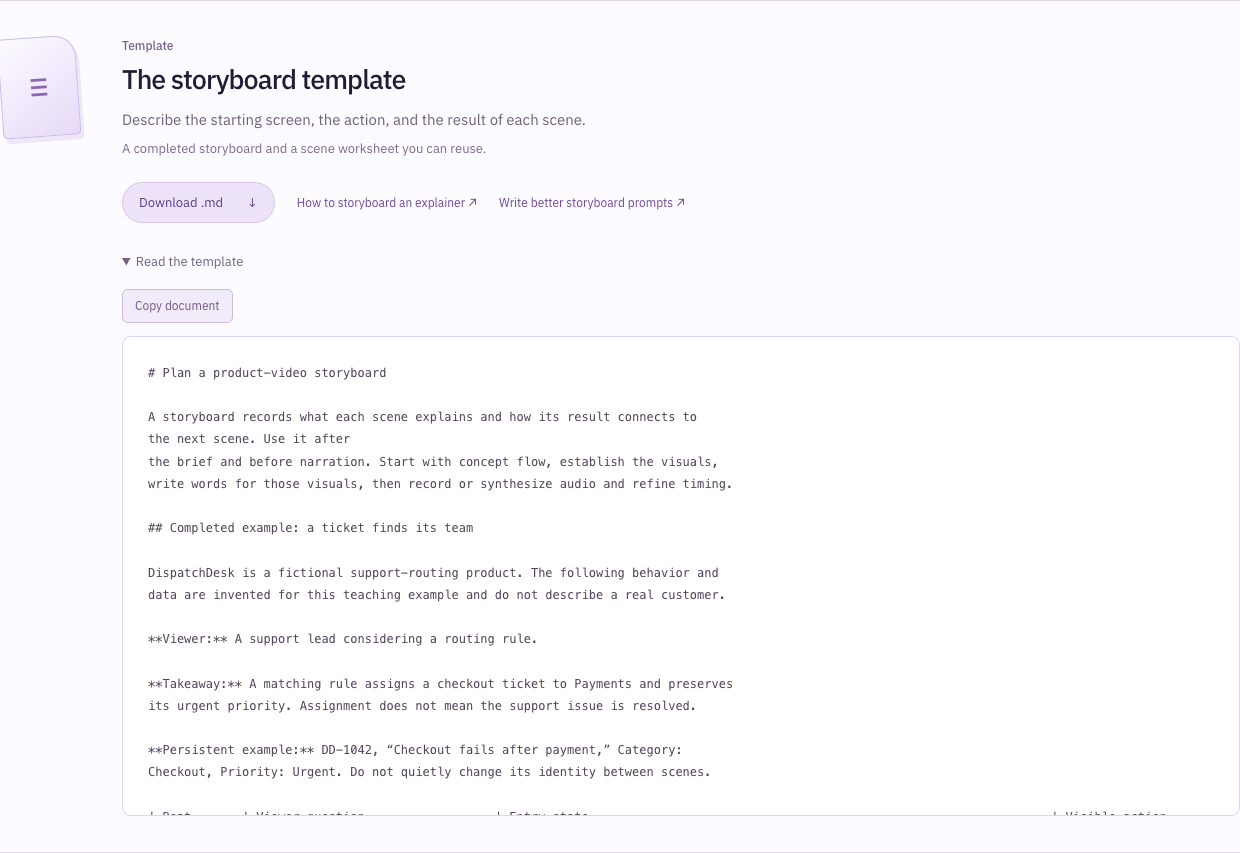
Open full-size image in a new tab. The 20cuts storyboard template expanded in the browser. The editable text identifies a support lead as the viewer, states that assignment preserves urgency without resolving the issue, and retains ticket DD-1042 with its checkout problem and urgent priority.
The actual storyboard preview begins with the viewer, takeaway, and persistent ticket DD-1042. These details keep the fictional DispatchDesk example consistent before the downloadable file proceeds to individual scenes and a blank worksheet.ScreenshotView full size ↗

Template

The explainer brief

Specify the audience, the question the video answers, and the product behavior that demonstrates the answer.

A completed fictional brief and fields for your own product.

Read the template
# The explainer brief

Complete this brief before storyboarding so the producer knows what the viewer
needs to understand and which product behavior will demonstrate it. The product
owner checks the proposed facts, and the producer develops the concept and
visual sequence before writing narration and producing audio.

## Completed example

**Product:** DispatchDesk, a fictional support-routing product used only for this
exercise. Its interface, people, data and behavior below are illustrative.

**Audience:** A support lead who currently assigns incoming tickets by hand.

**Viewing context:** A product-page visitor deciding whether to investigate
routing. They may begin with the sound off.

**Question the film answers:** How does a routing rule get a checkout problem to
the team that can handle it?

**Starting assumption:** “Automation might move tickets, but I will still need to
open each one to see where it went and whether the urgency survived.”

**Desired understanding:** A matching rule assigns the ticket to Payments while
retaining the ticket's urgent priority. The assignment and priority are both
visible in the final ticket.

**Proof event:** Ticket DD-1042 changes from unassigned to Payments after the
rule that sends Checkout tickets to Payments matches. Its subject and Urgent label remain unchanged.

**Example data:** DD-1042 / Checkout fails after payment / Category: Checkout /
Priority: Urgent / Team: Unassigned. A separate Billing ticket provides a
nonmatching case if the lesson needs to explain the rule's boundary.

**Story:** Establish the unassigned ticket. Show the matching condition and team
destination. Run the rule. Inspect the assigned ticket. For a teaching version,
show that a Billing ticket does not match this particular rule.

**Product evidence:** The facts above are authored demonstration facts, not
observations of a real product. In a commissioned film, replace them with a
dated product recording, current documentation and an approved sample-data set.

**Out of scope:** Rule precedence, round-robin assignment, permissions, response
time, resolution time and claims that routing resolves the customer's problem.

**Next step for the viewer:** Explore a routing example or request a preview
based on their own product.

**Deliverables to agree:** Primary player, aspect ratio, approximate scope,
captions, audio, alternative crops, source files and review rounds. These are
proposal decisions, not promises created by this template.

## Your brief

- Product and current version: [fill in]
- Intended viewer and existing knowledge: [fill in]
- Where and how they will watch: [fill in]
- One question the film answers: [fill in]
- What they currently misunderstand: [fill in]
- What they should understand afterward: [fill in]
- Visible event that supports that understanding: [fill in]
- Starting state, causal action, and resulting state: [fill in]
- Sample-data ledger and evidence links: [fill in]
- What the film deliberately excludes: [fill in]
- What the viewer can do next: [fill in]
- Required formats, captions, audio and review owners: [fill in]
- Open questions and their owners: [fill in]
- Brief version and review decision: [fill in]

## Review the brief

Ask a colleague to point to the proof event without reading your desired
understanding aloud. If they cannot, replace broad benefits with a concrete
example. “Fewer manual assignments” might motivate the story; a ticket visibly
reaching the right team demonstrates the behavior. A time-saving or revenue claim
would need separate evidence.

Check that the proof event can appear accurately on screen. If the interface does
not display the information you need, choose another example or explicitly label
a conceptual diagram. Do not invent a product screen to fill the gap.

Use the reviewed brief to build the storyboard. Each scene should help answer
the chosen question or provide context the viewer needs to understand it.

[Read the full guide](https://20cuts.com/explainer-video-brief-template).
Template

The storyboard template

Describe the starting screen, the action, and the result of each scene.

A completed storyboard and a scene worksheet you can reuse.

Read the template
# Plan a product-video storyboard

A storyboard records what each scene explains and how its result connects to
the next scene. Use it after
the brief and before narration. Start with concept flow, establish the visuals,
write words for those visuals, then record or synthesize audio and refine timing.

## Completed example: a ticket finds its team

DispatchDesk is a fictional support-routing product. The following behavior and
data are invented for this teaching example and do not describe a real customer.

**Viewer:** A support lead considering a routing rule.

**Takeaway:** A matching rule assigns a checkout ticket to Payments and preserves
its urgent priority. Assignment does not mean the support issue is resolved.

**Persistent example:** DD-1042, “Checkout fails after payment,” Category:
Checkout, Priority: Urgent. Do not quietly change its identity between scenes.

| Beat       | Viewer question                  | Entry state                                                                | Visible action                                                          | Exit state / visible evidence                                                           |
| ---------- | -------------------------------- | -------------------------------------------------------------------------- | ----------------------------------------------------------------------- | ---------------------------------------------------------------------------- |
| request    | What needs attention?            | Ticket DD-1042 is visible, unassigned and urgent.                          | Frame the subject, category, priority and unassigned team together.     | The same ticket is readable with its problem established.                    |
| rule       | What determines the destination? | DD-1042 remains visible.                                                   | Reveal the illustrative rule: Category equals Checkout; assign to Payments. | The condition and destination can be compared with the ticket.               |
| assignment | What does the rule change?       | The matching ticket and rule are visible.                                  | Show evaluation, then change the team from Unassigned to Payments.      | DD-1042 is assigned to Payments; subject, category and Urgent remain.        |
| boundary   | Does that rule move everything?  | Keep the rule stable; identify a second ticket, DD-1043, Category Billing. | Evaluate the Billing ticket against the same Checkout condition.        | The second ticket stays unassigned by this rule. No claim about other rules. |

The fourth beat belongs in a teaching version when the boundary matters. A short
launch film may end after the assignment, provided its wording does not imply
that every incoming ticket matches.

## Scene contract to duplicate

### [Stable beat id]

- Viewer question: [one question this scene resolves]
- Intended understanding: [one complete sentence]
- Entry state: [surface, data, selected object, camera framing]
- Product evidence: [dated source for each depicted behavior]
- Depiction: [real capture / accurate reconstruction / labeled illustration]
- Visible action: [what changes, who or what causes it]
- Result frame: [what a paused viewer must be able to inspect]
- Exit state: [data and framing passed to the next scene]
- Continuity check: [which facts must remain unchanged]
- Visual timing needs: [reading, action, inspection, transition; estimates only]
- Narration intent: [what the eventual words need to explain, not final copy]
- Open questions: [owner and evidence needed]
- Visual review: [draft / changes required / approved, reviewer, version]

## Choose the treatment before filling every row

Try distinct ways to explain the same behavior: follow one ticket, compare a
manual and routed path, or change one condition while keeping the example stable.
Write a short reason for selecting one. A sequence of unrelated attractive shots
does not become coherent simply because the topic is the same.

For DispatchDesk, following one ticket keeps the subject, urgency and destination
available for comparison. A controlled second case clarifies the condition. That
choice determines the data and surfaces in the board.

## Review before motion

Create stills or a simple visual draft from the planned surfaces. Check every
important framing at the intended player size. Confirm that a viewer can identify
the starting problem, the causal action and the resulting state.

Read adjacent rows together. If one ends with an assigned ticket and the next
opens with an unassigned copy, either show an explicit reset or fix the mismatch.
Use one shared data ledger so the same ticket cannot acquire different facts in
different scenes.

Only after the visual sequence works should you write narration to it. Later,
measure the recorded audio and revisit scene boundaries and interior event cues.
An estimated duration is not a guarantee of a synchronized final cut.

[Read the full guide](https://20cuts.com/how-to-storyboard-an-explainer-video).

Template

The visual beat map

Record each action and spoken line under the same scene ID, then add timing measurements.

A worksheet for visual timing, audio duration, and word-to-action cues.

Read the template
# Map visual events to narration

Use one stable beat id to connect the storyboard, visual state, narration, audio
and review notes. The beat map records the timing of each important visual event and its spoken
phrase. A reviewer locates those phrases in the recording and checks the
corresponding events in playback.

## Completed example

DispatchDesk is a fictional support-routing product. DD-1042 is an urgent
checkout ticket. Its team changes from Unassigned to Payments when the matching
rule runs. All values below are illustrative worksheet values, not measurements
from a finished film.

| Beat id    | Visual entry and exit                             | Required event                                               | Visual floor, estimate | Narration after visual review                                | Audio duration           |
| ---------- | ----------------------------------------------- | ------------------------------------------------------------ | ---------------------- | ------------------------------------------------------------ | ------------------------ |
| request    | DD-1042 stays unassigned while the framing reveals its fields | Viewer can read Checkout and Urgent.                         | 4.0 s                  | This urgent checkout ticket is waiting for a team.           | Measure after recording. |
| rule       | The rule appears beside the ticket          | Checkout condition and Payments destination become readable. | 5.0 s                  | The routing rule sends checkout tickets to Payments.         | Measure after recording. |
| assignment | The rule changes Team from Unassigned to Payments                           | Team changes; Urgent stays visible.                          | 5.0 s                  | The ticket reaches Payments with its urgent priority intact. | Measure after recording. |

These sample lines illustrate what could follow approved visuals. They are not
a script to impose on a different animation.

## Timing worksheet to duplicate

- Beat id: [stable id shared with storyboard]
- Visual version: [reviewed artifact]
- Entry state: [data and composition]
- Action start and result event: [local cue names]
- Visual floor: [minimum needed for reading, action and result inspection]
- Narration version and text: [written after visual review]
- Audio file and measured duration: [recording id; actual duration]
- Audio starts at: [offset within this beat, if any]
- Required tail after audio: [silence or transition requirement]
- Duration calculation: [derived, not separately hand-maintained]
- Key phrase and visual event: [phrase and corresponding event]
- Observed phrase time: [measured or manually located in the recording]
- Event time in the animation: [local time or frame]
- Sync review: [what the rendered playback showed]
- Exit state and next beat: [explicit handoff]

## Derive the boundary; review the events inside it

A useful duration rule is:

```text
scene duration = max(
  authored visual floor,
  actual audio start offset + measured audio duration + required audio tail
)
```

If the editor places audio on whole frames, round the lead-in to its actual
frame position before using it in the formula. Round the final scene duration
up to a whole frame as well.

Choose the visual floor to cover the scene's actual reading and action needs.
Do not also add those same holds to the audio tail and count them twice. The
formula is a planning pattern; adapt it to the timing contract of your editor.

For example, if a visual floor is 5.0 seconds and the recording is 4.7 seconds
with no start offset and a 0.4-second tail, the scene needs at least 5.1 seconds.
At 30 frames per second, round up to 153 frames. Derive later start frames from
the cumulative durations so a changed recording cannot leave the next scene
using an old handwritten offset.

That calculation only protects the boundary. If “reaches Payments” occurs at
2.8 seconds but the team changed at 0.3 seconds, the scene may still feel
detached. Move the event, revise the line, or split the beat, then watch again.

## Record a phrase correction

For an illustrative take, “Payments” begins 3.0 seconds after the audio starts.
If the take starts 0.2 seconds into the scene, its visual partner belongs around
3.2 seconds into the scene, or local frame 96 at 30 fps. The editor still needs
to choose the precise event time by listening and watching.

```text
Beat id: routing
Source take: fictional-routing-v1.wav
Phrase: to Payments
Audio-local marker: 3.0 seconds
Actual audio lead-in: 0.2 seconds
Initial assignment cue: 3.2 seconds / local frame 96 at 30 fps
Review note: Keep the assigned team visible through the following priority clause.
```

The [runnable timing example](https://20cuts.com/vsync-narration-for-explainer-videos)
uses request, routing, and result as its scene ids. Its plan groups the rule and
assignment into one routing scene; the worksheet above separates them for a
more detailed visual review. Match ids within your own chosen plan instead of
copying names from a different scene breakdown.

## Review checklist

- Each distinct explanation has an addressable beat.
- Entry and exit states agree with the storyboard and neighboring beats.
- Estimates and measured values are visibly distinguished.
- Durations and cumulative start times have one source of truth.
- Important named objects remain visible while they are discussed.
- A changed recording triggers timing review, even if the total length is similar.
- The final rendered cut has been watched with sound, at the intended size.

[Read the full guide](https://20cuts.com/vsync-narration-for-explainer-videos).

Prompt

Narration that follows the picture

Write narration for the screens and actions you have already planned.

A prompt, sample narration, and checks for reading it aloud.

Read the template
# Narration that follows the picture

Copy the prompt into your writing assistant after the producer and product
owner have reviewed the concept and visual sequence. Supply a sanitized storyboard and descriptions or
images of the actual visuals. A reviewer should read the draft aloud against the visuals before approving
the recording script.

## Copyable prompt

```text
Write narration for the reviewed visual sequence below.

Audience: [who is watching and what they already know]
Purpose: [what they should understand afterward]
Visual artifact and version: [reviewed storyboard / frames / animation]
Product evidence and approved claims: [paste relevant, sanitized material]
Voice: clear, conversational, precise; complete sentences; no slogan fragments.

Work beat by beat using the supplied stable beat ids.
1. Describe what the viewer can actually see in each beat before drafting its line.
2. Write one compact sentence for each small, coherent visual beat. If a beat
   contains several distinct explanations, propose a split for review.
3. Name the visible objects and explain the relationship or change that matters.
   Avoid reciting every click or adding capabilities the picture does not show.
4. Preserve the product's exact labels where changing them would alter meaning.
5. Do not invent statistics, customer outcomes, speed guarantees or product behavior.
6. Mark missing evidence and unclear referents as questions. Do not fill them in.
7. If the words require an unseen event, flag a visual revision rather than writing
   past the mismatch. Do not retrofit new narration onto unrelated fixed timing.
8. Do not assign final seconds from word count. Recording and playback determine
   timing; important word-to-event cues require a separate review.

Return a table: beat id | visible evidence | proposed sentence | key phrase and
visual event | open question or proposed revision.

Reviewed visual sequence:
[paste beat ids, entry states, actions, proof frames and exit states]
```

## Completed fictional example

DispatchDesk is an invented support-routing product. This exercise shows an
urgent checkout ticket, a matching rule, and an assignment to Payments. It does
not demonstrate a real customer's system or results.

| Beat       | Visible evidence                                                       | Proposed sentence                                            | Cue to review                                                                 |
| ---------- | ---------------------------------------------------------------------- | ------------------------------------------------------------ | ----------------------------------------------------------------------------- |
| request    | DD-1042 is unassigned; subject, Checkout and Urgent are readable.      | This urgent checkout ticket is waiting for a team.           | “waiting for a team” refers to Unassigned.                                    |
| rule       | Category equals Checkout; destination is Team Payments is visible beside the ticket. | The routing rule sends checkout tickets to Payments.         | Keep the condition and destination legible through the line.                  |
| assignment | Team changes to Payments; Urgent remains.                              | The ticket reaches Payments with its urgent priority intact. | Assignment should land with “reaches Payments”; retain priority for the rest. |

An unsuitable line would be “Resolve every customer issue instantly.” The rule assigns a ticket in this example. The visuals supply no evidence
that assignment resolves the issue or happens instantly for every customer.

## Read-aloud and sync review

Read the lines while watching the visual draft. Listen for a subject that is
unclear, a term the viewer has not learned, or a sentence that continues after
its evidence has disappeared. Revise the words and, where necessary, the visual
beat before producing audio.

After recording, measure each clip. Let the scene duration accommodate both the
visual action and the actual recording. Locate the key phrase within the audio
and compare it with the corresponding event in playback. A clip fitting inside
a scene does not prove that the action lands on the right word.

Check captions against the final spoken words and product labels. Watch the full
cut again after a recording change; equal-length recordings can have different
internal phrasing and pauses.

[Read the full guide](https://20cuts.com/write-narration-for-product-videos).

Prompt

Check the product before the render

Check screen labels and behavior against the product, and flag details you cannot verify.

A table for product references and a prompt for checking accuracy.

Read the template
# Check the product before the render

A convincing interface can still teach the wrong behavior. Use this worksheet
to connect every important visible action, label and result to evidence. Collect
only material you are authorized to share, and sanitize customer data before
placing it in a prompt or production artifact.

## Evidence table to fill in

| Depiction or claim                | Source and version/date            | What the source establishes | Status                                             | Owner / next action |
| --------------------------------- | ---------------------------------- | --------------------------- | -------------------------------------------------- | ------------------- |
| [label, relationship or behavior] | [recording, docs, approved source] | [observed fact and limits]  | [verified / unknown / contradicted / illustrative] | [who resolves it]   |

For each planned scene, also record its depiction mode: real capture, accurate
reconstruction, or explicitly labeled conceptual illustration. A diagram may
simplify the presentation, but its arrows and states must preserve the behavior
being explained.

## Completed fictional example

DispatchDesk is an invented support-routing product. The following entries define the fictional behavior for this exercise. They
do not verify a real product or describe customer results.

| Depiction or claim                                   | Source                              | What it establishes                                                         | Status            |
| ---------------------------------------------------- | ----------------------------------- | --------------------------------------------------------------------------- | ----------------- |
| DD-1042 has Category Checkout and Priority Urgent.   | Fictional sample-data ledger v1     | Those fields belong to this example ticket.                                 | Illustrative      |
| Category equals Checkout routes to Team Payments.    | Fictional behavior specification v1 | This one matching condition chooses this destination.                       | Illustrative      |
| Assignment preserves Priority Urgent.                | Fictional behavior specification v1 | The team changes; priority does not.                                        | Illustrative      |
| Assignment resolves the customer's checkout problem. | No supporting source                | Routing and issue resolution are different events.                          | Unsupported; omit |
| A Billing ticket stays unassigned by this rule.      | Fictional behavior specification v1 | This rule does not match Billing; nothing is established about other rules. | Illustrative      |

## Copyable audit prompt

```text
Audit this product-video storyboard against the supplied evidence.

Product and version: [fill in]
Depiction mode per scene: [capture / reconstruction / labeled illustration]
Evidence with dates or versions: [sanitized recordings, documentation, source]
Approved example-data ledger: [fill in]
Storyboard and draft claims: [paste]

For every important label, action, relationship and result:
- Identify the exact supporting evidence and what it actually establishes.
- Mark the item verified, unknown, contradicted, or illustrative.
- Check that the component appears on the correct product surface and in a state
  the intended user could actually reach.
- Check permissions, prerequisites, order of operations and state persistence.
- Track the example's identity and values across scenes; flag unexplained resets.
- Separate an observed example from a general claim about all cases.
- Distinguish a visible assignment, submission or success indicator from any
  downstream business outcome it does not prove.
- Flag accelerated waits, simulated data and conceptual visuals that need labels.

Do not infer missing behavior from a plausible-looking UI. If evidence conflicts,
show the conflict and ask for a current product check. Do not invent the answer.

Return an evidence table, a list of blockers, and the smallest concrete checks
needed to resolve them. Cite only sources supplied or actually inspected.
```

## Human review

Ask a product owner to reproduce the important path in the relevant version.
Check the result, not just the click target. A button labeled “Send” may queue a
message rather than establish delivery; the film must preserve that distinction.

If the evidence changes, find every scene and line depending on that fact.
Record the updated source and re-review the affected visuals, narration and
captions. Keep the old verdict with its version so reviewers can distinguish a past approval from the current product check.

[Read the full guide](https://20cuts.com/product-truth-before-animation).

Checklist

The video review checklist

Check whether the video explains the task, matches the product, and keeps narration in sync.

A sheet for timestamped notes and checks before delivery.

Read the template
# Review a product video

Use this on the actual rendered version at its intended player size. Record what the reviewer observed and the change, if any, that the film needs. Mark each check Ready, Needs changes, or Not applicable, with
a reason. Keep product defects, comprehension problems and taste preferences
distinguishable.

## Review record

- Film and purpose: [fill in]
- Version / file / export date: [fill in]
- Intended audience and viewing context: [fill in]
- Reviewer and review date: [fill in]
- Product version and evidence set: [fill in]
- Agreed deliverables and acceptance criteria: [fill in]

## First-viewer pass

Watch once without pausing or receiving an explanation in advance. Then answer:

- What problem was the person trying to solve?
- What action changed the situation?
- What did the final state prove?
- What would you do next, if anything?
- Where did you lose the thread or need to guess?

Compare the answers with the brief. If a viewer remembers the visual effects but
cannot explain the product's change, investigate the story before polishing the
effects.

## Review passes

| Area            | Check                                                                           | Decision and evidence |
| --------------- | ------------------------------------------------------------------------------- | --------------------- |
| Story           | The opening establishes a concrete question, and the ending answers it.         | [fill in]             |
| Causality       | The viewer can connect the action to the result without guessing.               | [fill in]             |
| Product truth   | Controls, hosts, permissions, relationships and results match current evidence. | [fill in]             |
| Continuity      | Example identities and values persist, or resets are explicit.                  | [fill in]             |
| Framing         | Important changes and labels are legible at the intended display size.          | [fill in]             |
| Motion          | Movement directs attention without obscuring the event being explained.         | [fill in]             |
| Narration       | Each line refers to visible evidence and adds useful explanation.               | [fill in]             |
| Synchronization | Important phrases and their visual events land together in playback.            | [fill in]             |
| Reading time    | A viewer can identify context and inspect results before they disappear.        | [fill in]             |
| Audio           | Speech is intelligible and edits, music and levels are appropriate.             | [fill in]             |
| Captions        | Wording, product terms, timing, placement and reading order are correct.        | [fill in]             |
| Delivery        | Reviewed files match the agreed formats, versions and accompanying assets.      | [fill in]             |

## A useful review note

DispatchDesk is a fictional support-routing product. This is an illustrative
review note, not a report about a client film.

```text
Version: dispatchdesk-review-02
Timestamp: 00:12 to 00:15
Observed: The camera leaves the ticket before Team changes to Payments.
Viewer consequence: I hear the destination but cannot verify the assignment.
Required understanding: The same urgent checkout ticket reaches Payments.
Suggested repair: Keep the team and priority fields in frame through the change,
then give the viewer time to inspect the result before moving away.
Decision: Needs changes before release.
Verification: Watch the revised export with the final narration; check the
neighboring transition as well as this timestamp.
```

Avoid prescribing an exact repair when you only know the symptom. “I cannot read
the result before the cut” gives the editor room to solve the actual problem.
“Add two seconds everywhere” can slow scenes that were already working.

## Release decision

- Unresolved factual or comprehension blockers: [list, or none]
- Open taste choices and decision owner: [fill in]
- Revised export watched in full: [version, reviewer, date]
- Required formats and caption files checked: [fill in]
- Decision: [Ready / Needs changes]
- Approver and exact approved version: [fill in]

A successful render confirms that the files exported. The reviewer approves
the actual cut after comparing it with the brief and agreed criteria. Preserve a short note
about why an accepted cut works so the next production has a usable reference.

[Read the full guide](https://20cuts.com/how-to-review-an-explainer-video).
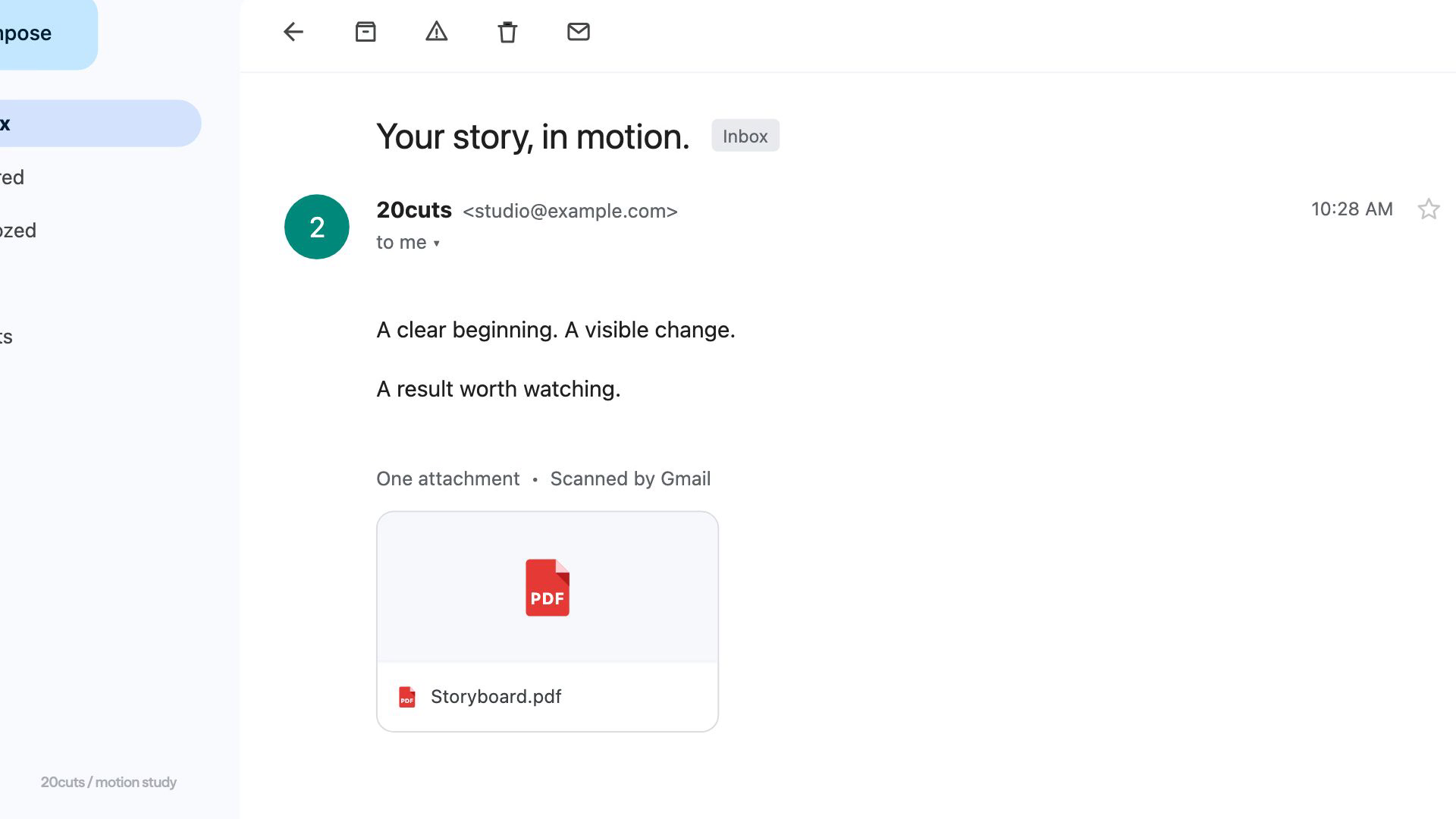
Open full-size image in a new tab. Close Gmail demonstration from 20cuts with subject Your story, in motion. The message describes a clear beginning, a visible change, and a result worth watching, above a Storyboard.pdf attachment.
This staged Gmail scene shows a clearly named Storyboard.pdf attachment beside a short explanation of the story. It illustrates the handoff reviewers should recognize; the worksheet itself is a separate artifact.Film still · staged exampleView full size ↗

Storyboarding tutorial

Build a storyboard for
one customer task.

The storyboard tutorial follows one request through a complete workflow. It explains how to choose the scenes, describe the action, and check whether the sequence answers the viewer’s question.

Learn to storyboard Browse all free tutorials ↗

Keep making it, or hand us the brief.

The creation system

Make a complete product film with the 20cuts Creation System. Pay $29.99 once for one editable template, two example configurations and films, four core lessons, an AI quickstart, guided prompts, and the complete launch-film tutorial library with source projects.

See the system and example films

Studio production

Get a launch film and two short edits for $899. Give 20cuts your product and the task you want to show. We plan the story and make the film.

See studio scope and pricing